Deploy SFTP Gateway on ECS
TLDR - Quick Summary
What: Deploy SFTP Gateway as a containerized app on Amazon ECS (EC2 launch type)
Prerequisites: AWS CLI v2, an EC2 key pair, an S3 bucket, ACM certificate (optional, for HTTPS)
Deployment: Single CloudFormation command that creates all resources
Overview
This guide walks through deploying SFTP Gateway as a containerized application on Amazon Elastic Container Service (ECS) using the EC2 launch type. We provide a CloudFormation template that automates the entire infrastructure setup, allowing you to deploy a production-ready SFTP Gateway in minutes.
Note: The CloudFormation template provided here is a reference architecture intended as a starting point. You should customize this template to meet your specific infrastructure requirements, security policies, and organizational standards. If you need assistance with customization, our Premier Support team is available to help.
Why ECS?
ECS offers several advantages for running SFTP Gateway:
- Simpler than Kubernetes: ECS has a gentler learning curve compared to EKS, making it ideal if you don't need Kubernetes-specific features
- Native AWS Integration: Deep integration with other AWS services like IAM, CloudWatch, Secrets Manager, and Application Load Balancers
- Cost-Effective: No control plane costs (unlike EKS), and you only pay for the EC2 instances running your containers
- Managed Scheduling: AWS handles container placement, health monitoring, and replacement of failed containers
Architecture Overview
The CloudFormation template deploys the following architecture:
┌─────────────────────────────────────────────────────────────────┐
│                              VPC                                │
│  ┌──────────────────┐        ┌──────────────────┐               │
│  │  Network Load    │        │  Application     │               │
│  │  Balancer (NLB)  │        │  Load Balancer   │               │
│  │  Port 22 (SFTP)  │        │  Port 80/443     │               │
│  └────────┬─────────┘        └────────┬─────────┘               │
│           │                           │                         │
│           ▼                           ▼                         │
│  ┌───────────────────────────────────────────────────────────┐  │
│  │                      ECS Cluster                          │  │
│  │  ┌─────────────────────┐    ┌─────────────────────┐       │  │
│  │  │  Backend Container  │    │  Frontend Container │       │  │
│  │  │  (SFTP + API)       │◄───│  (Admin UI)         │       │  │
│  │  │  Port 2222, 8080    │    │  Port 80            │       │  │
│  │  └──────────┬──────────┘    └─────────────────────┘       │  │
│  └─────────────┼─────────────────────────────────────────────┘  │
│                │                                                │
│       ┌────────┴────────┐                                       │
│       ▼                 ▼                                       │
│  ┌─────────┐      ┌─────────┐                                   │
│  │   RDS   │      │   EFS   │                                   │
│  │ Postgres│      │ Storage │                                   │
│  └─────────┘      └─────────┘                                   │
└─────────────────────────────────────────────────────────────────┘
What Gets Created
The CloudFormation template creates these AWS resources:
| Resource | Purpose |
|---|---|
| Amazon RDS (PostgreSQL) | Managed database for user accounts and configuration with automated backups |
| Amazon EFS | Shared storage for SSH keys and home directories |
| ECS Cluster | Container orchestration with an EC2 instance |
| Network Load Balancer | Routes SFTP traffic (port 22) to containers |
| Application Load Balancer | Routes Web UI traffic (HTTP/HTTPS) with admin IP restriction |
| CloudWatch Log Group | Centralized logging for all containers |
| Secrets Manager | Securely stores database and application credentials |
| IAM Roles | Permissions for ECS instances and tasks |
| Security Groups | Network access controls (see below) |
Security Group Segmentation
The template creates separate security groups following the principle of least privilege:
| Security Group | Purpose | Inbound Access |
|---|---|---|
| Admin SG | SSH and Web UI access | Your IP address only |
| SFTP SG | SFTP client connections | 0.0.0.0/0 (public) |
| API SG | Frontend-to-backend communication | ECS instances only |
| Postgres SG | Database connections | ECS instances only |
| EFS SG | Shared storage access | ECS instances only |
| ECS SG | Base SG for ECS instances | Referenced by other SGs |
This segmentation ensures that:
- Only your IP can access SSH and the Admin UI
- SFTP is publicly accessible (as intended)
- Internal traffic (API, database, storage) is never exposed to the internet
Why RDS Instead of a Database Container?
For production deployments, we use Amazon RDS rather than running PostgreSQL in a container. RDS provides:
- Automated backups with point-in-time recovery
- Multi-AZ deployments for automatic failover
- Managed patching and maintenance windows
- Optimized storage (EBS) designed for database workloads
- Monitoring and alarms built into the AWS console
Running a database container on EFS works for development but isn't recommended for production due to I/O performance limitations and lack of built-in failover.
Prerequisites
Before deploying, ensure you have:
AWS CLI v2 installed and configured - Installation guide
Verify your installation:
aws --version # Should be >= 2.15An EC2 Key Pair for SSH access to the ECS instance
Create one if needed:
aws ec2 create-key-pair --key-name sftpgateway-key --query 'KeyMaterial' --output text > sftpgateway-key.pem
chmod 400 sftpgateway-key.pem
An S3 bucket where SFTP users will store files
Your public IP address (for admin access restriction)
Find your IP:
curl -s https://checkip.amazonaws.comAWS permissions for: CloudFormation, ECS, EC2, ELB, IAM, EFS, RDS, Secrets Manager, and CloudWatch
(Optional) An ACM certificate for HTTPS access to the Web UI
If you want HTTPS, create or import a certificate in AWS Certificate Manager. The certificate must be in the same region as your deployment.
Deploy with CloudFormation
Step 1: Save the CloudFormation Template
Copy the following CloudFormation template and save it as sftpgateway-ecs.yaml:
Click to expand CloudFormation template
AWSTemplateFormatVersion: '2010-09-09'
Description: >
SFTP Gateway on Amazon ECS (EC2 launch type) with RDS PostgreSQL.
Deploys a production-ready SFTP Gateway with managed database,
load balancers, and proper security group segmentation.
Metadata:
AWS::CloudFormation::Interface:
ParameterGroups:
- Label:
default: Network Configuration
Parameters:
- VpcId
- SubnetIds
- AdminIP
- Label:
default: Instance Configuration
Parameters:
- KeyPairName
- InstanceType
- Label:
default: Database Configuration
Parameters:
- DBInstanceClass
- DBAllocatedStorage
- Label:
default: SFTP Gateway Configuration
Parameters:
- S3BucketName
- S3BucketRegion
- Label:
default: SSL/TLS Configuration (Optional)
Parameters:
- ACMCertificateArn
Parameters:
VpcId:
Type: AWS::EC2::VPC::Id
Description: VPC where resources will be deployed
SubnetIds:
Type: List<AWS::EC2::Subnet::Id>
Description: Subnets for deployment (select at least 2 in different AZs)
AdminIP:
Type: String
Description: IP address (CIDR notation) allowed to access SSH and Web UI (e.g., 203.0.113.50/32)
AllowedPattern: ^(\d{1,3}\.){3}\d{1,3}/\d{1,2}$
ConstraintDescription: Must be a valid CIDR (e.g., 203.0.113.50/32)
KeyPairName:
Type: AWS::EC2::KeyPair::KeyName
Description: EC2 key pair for SSH access to ECS instances
InstanceType:
Type: String
Default: t3.large
Description: EC2 instance type for ECS cluster
AllowedValues:
- t3.medium
- t3.large
- t3.xlarge
- m5.large
- m5.xlarge
DBInstanceClass:
Type: String
Default: db.t3.small
Description: RDS instance class
AllowedValues:
- db.t3.micro
- db.t3.small
- db.t3.medium
- db.t3.large
DBAllocatedStorage:
Type: Number
Default: 20
MinValue: 20
MaxValue: 1000
Description: Database storage in GB
S3BucketName:
Type: String
Description: S3 bucket name for SFTP file storage
AllowedPattern: ^[a-z0-9][a-z0-9.-]*[a-z0-9]$
ConstraintDescription: Must be a valid S3 bucket name
S3BucketRegion:
Type: String
Default: us-east-1
Description: AWS region where the S3 bucket is located
ACMCertificateArn:
Type: String
Default: ''
Description: (Optional) ARN of ACM certificate for HTTPS. Leave empty for HTTP only.
Conditions:
HasACMCertificate: !Not [!Equals [!Ref ACMCertificateArn, '']]
Resources:
#============================================================================
# SECURITY GROUPS
#============================================================================
# Base security group for ECS instances - referenced by other SGs
ECSSecurityGroup:
Type: AWS::EC2::SecurityGroup
Properties:
GroupName: !Sub ${AWS::StackName}-ecs-sg
GroupDescription: Base security group for SFTP Gateway ECS instances
VpcId: !Ref VpcId
Tags:
- Key: Name
Value: !Sub ${AWS::StackName}-ecs-sg
# Allow ALB to reach ECS instances (requires separate resource to avoid circular reference)
ECSSecurityGroupALBIngress:
Type: AWS::EC2::SecurityGroupIngress
Properties:
GroupId: !Ref ECSSecurityGroup
IpProtocol: tcp
FromPort: 80
ToPort: 80
SourceSecurityGroupId: !Ref AdminSecurityGroup
Description: HTTP from Web ALB
# Allow ALB to reach ECS instances on port 443 (for HTTPS Web UI)
ECSSecurityGroupALBIngressHTTPS:
Type: AWS::EC2::SecurityGroupIngress
Condition: HasACMCertificate
Properties:
GroupId: !Ref ECSSecurityGroup
IpProtocol: tcp
FromPort: 443
ToPort: 443
SourceSecurityGroupId: !Ref AdminSecurityGroup
Description: HTTPS from ALB
# Admin access - SSH and Web UI restricted to admin IP
AdminSecurityGroup:
Type: AWS::EC2::SecurityGroup
Properties:
GroupName: !Sub ${AWS::StackName}-admin-sg
GroupDescription: Administrative access - SSH and Web UI
VpcId: !Ref VpcId
SecurityGroupIngress:
- IpProtocol: tcp
FromPort: 22
ToPort: 22
CidrIp: !Ref AdminIP
Description: SSH from admin IP
- IpProtocol: tcp
FromPort: 80
ToPort: 80
CidrIp: !Ref AdminIP
Description: HTTP from admin IP
- IpProtocol: tcp
FromPort: 443
ToPort: 443
CidrIp: !Ref AdminIP
Description: HTTPS from admin IP
Tags:
- Key: Name
Value: !Sub ${AWS::StackName}-admin-sg
# SFTP access - open to the internet
SFTPSecurityGroup:
Type: AWS::EC2::SecurityGroup
Properties:
GroupName: !Sub ${AWS::StackName}-sftp-sg
GroupDescription: SFTP client access - public
VpcId: !Ref VpcId
SecurityGroupIngress:
- IpProtocol: tcp
FromPort: 2222
ToPort: 2222
CidrIp: 0.0.0.0/0
Description: SFTP from anywhere
Tags:
- Key: Name
Value: !Sub ${AWS::StackName}-sftp-sg
# API access - internal only from ECS instances
APISecurityGroup:
Type: AWS::EC2::SecurityGroup
Properties:
GroupName: !Sub ${AWS::StackName}-api-sg
GroupDescription: Backend API - internal only
VpcId: !Ref VpcId
SecurityGroupIngress:
- IpProtocol: tcp
FromPort: 8080
ToPort: 8080
SourceSecurityGroupId: !Ref ECSSecurityGroup
Description: API from ECS instances
Tags:
- Key: Name
Value: !Sub ${AWS::StackName}-api-sg
# PostgreSQL access - from ECS instances only
PostgresSecurityGroup:
Type: AWS::EC2::SecurityGroup
Properties:
GroupName: !Sub ${AWS::StackName}-postgres-sg
GroupDescription: PostgreSQL - ECS access only
VpcId: !Ref VpcId
SecurityGroupIngress:
- IpProtocol: tcp
FromPort: 5432
ToPort: 5432
SourceSecurityGroupId: !Ref ECSSecurityGroup
Description: PostgreSQL from ECS instances
Tags:
- Key: Name
Value: !Sub ${AWS::StackName}-postgres-sg
# EFS access - from ECS instances only
EFSSecurityGroup:
Type: AWS::EC2::SecurityGroup
Properties:
GroupName: !Sub ${AWS::StackName}-efs-sg
GroupDescription: EFS - ECS access only
VpcId: !Ref VpcId
SecurityGroupIngress:
- IpProtocol: tcp
FromPort: 2049
ToPort: 2049
SourceSecurityGroupId: !Ref ECSSecurityGroup
Description: NFS from ECS instances
Tags:
- Key: Name
Value: !Sub ${AWS::StackName}-efs-sg
#============================================================================
# SECRETS MANAGER
#============================================================================
DBPasswordSecret:
Type: AWS::SecretsManager::Secret
Properties:
Name: !Sub ${AWS::StackName}/postgres-password
Description: PostgreSQL password for SFTP Gateway
GenerateSecretString:
SecretStringTemplate: '{}'
GenerateStringKey: password
PasswordLength: 32
ExcludeCharacters: '"@/\'
SecurityClientSecret:
Type: AWS::SecretsManager::Secret
Properties:
Name: !Sub ${AWS::StackName}/security-client-secret
Description: Security client secret for SFTP Gateway
GenerateSecretString:
SecretStringTemplate: '{}'
GenerateStringKey: secret
PasswordLength: 64
ExcludeCharacters: '"@/\'
SecurityJWTSecret:
Type: AWS::SecretsManager::Secret
Properties:
Name: !Sub ${AWS::StackName}/security-jwt-secret
Description: JWT secret for SFTP Gateway
GenerateSecretString:
SecretStringTemplate: '{}'
GenerateStringKey: secret
PasswordLength: 64
ExcludeCharacters: '"@/\'
#============================================================================
# RDS DATABASE
#============================================================================
DBSubnetGroup:
Type: AWS::RDS::DBSubnetGroup
Properties:
DBSubnetGroupName: !Sub ${AWS::StackName}-db-subnet-group
DBSubnetGroupDescription: Subnet group for SFTP Gateway RDS
SubnetIds: !Ref SubnetIds
RDSInstance:
Type: AWS::RDS::DBInstance
DeletionPolicy: Snapshot
Properties:
DBInstanceIdentifier: !Sub ${AWS::StackName}-db
DBInstanceClass: !Ref DBInstanceClass
Engine: postgres
EngineVersion: '18'
MasterUsername: sftpgw
MasterUserPassword: !Sub '{{resolve:secretsmanager:${DBPasswordSecret}:SecretString:password}}'
AllocatedStorage: !Ref DBAllocatedStorage
StorageType: gp3
StorageEncrypted: true
DBName: sftpgw
VPCSecurityGroups:
- !Ref PostgresSecurityGroup
DBSubnetGroupName: !Ref DBSubnetGroup
BackupRetentionPeriod: 7
PubliclyAccessible: false
Tags:
- Key: Name
Value: !Sub ${AWS::StackName}-db
#============================================================================
# EFS FILESYSTEM
#============================================================================
EFSFileSystem:
Type: AWS::EFS::FileSystem
Properties:
Encrypted: true
PerformanceMode: generalPurpose
ThroughputMode: bursting
FileSystemTags:
- Key: Name
Value: !Sub ${AWS::StackName}-efs
# Create mount target in first subnet
EFSMountTarget1:
Type: AWS::EFS::MountTarget
Properties:
FileSystemId: !Ref EFSFileSystem
SubnetId: !Select [0, !Ref SubnetIds]
SecurityGroups:
- !Ref EFSSecurityGroup
# Create mount target in second subnet
EFSMountTarget2:
Type: AWS::EFS::MountTarget
Properties:
FileSystemId: !Ref EFSFileSystem
SubnetId: !Select [1, !Ref SubnetIds]
SecurityGroups:
- !Ref EFSSecurityGroup
# Access point for SFTP Gateway home directory
EFSAccessPoint:
Type: AWS::EFS::AccessPoint
Properties:
FileSystemId: !Ref EFSFileSystem
PosixUser:
Uid: '1000'
Gid: '1000'
RootDirectory:
Path: /sftpgateway-home
CreationInfo:
OwnerUid: '1000'
OwnerGid: '1000'
Permissions: '0755'
AccessPointTags:
- Key: Name
Value: !Sub ${AWS::StackName}-efs-ap
#============================================================================
# IAM ROLES
#============================================================================
ECSInstanceRole:
Type: AWS::IAM::Role
Properties:
RoleName: !Sub ${AWS::StackName}-ecs-instance-role
AssumeRolePolicyDocument:
Version: '2012-10-17'
Statement:
- Effect: Allow
Principal:
Service: ec2.amazonaws.com
Action: sts:AssumeRole
ManagedPolicyArns:
- arn:aws:iam::aws:policy/service-role/AmazonEC2ContainerServiceforEC2Role
ECSInstanceProfile:
Type: AWS::IAM::InstanceProfile
Properties:
InstanceProfileName: !Sub ${AWS::StackName}-ecs-instance-profile
Roles:
- !Ref ECSInstanceRole
ECSTaskExecutionRole:
Type: AWS::IAM::Role
Properties:
RoleName: !Sub ${AWS::StackName}-ecs-task-execution-role
AssumeRolePolicyDocument:
Version: '2012-10-17'
Statement:
- Effect: Allow
Principal:
Service: ecs-tasks.amazonaws.com
Action: sts:AssumeRole
ManagedPolicyArns:
- arn:aws:iam::aws:policy/service-role/AmazonECSTaskExecutionRolePolicy
Policies:
- PolicyName: SecretsManagerAccess
PolicyDocument:
Version: '2012-10-17'
Statement:
- Effect: Allow
Action:
- secretsmanager:GetSecretValue
Resource:
- !Ref DBPasswordSecret
- !Ref SecurityClientSecret
- !Ref SecurityJWTSecret
# Task role - allows containers to access AWS services (S3, EFS)
ECSTaskRole:
Type: AWS::IAM::Role
Properties:
RoleName: !Sub ${AWS::StackName}-ecs-task-role
AssumeRolePolicyDocument:
Version: '2012-10-17'
Statement:
- Effect: Allow
Principal:
Service: ecs-tasks.amazonaws.com
Action: sts:AssumeRole
ManagedPolicyArns:
- arn:aws:iam::aws:policy/AmazonS3FullAccess
- arn:aws:iam::aws:policy/AmazonElasticFileSystemClientReadWriteAccess
#============================================================================
# CLOUDWATCH LOGS
#============================================================================
LogGroup:
Type: AWS::Logs::LogGroup
Properties:
LogGroupName: !Sub /ecs/${AWS::StackName}
RetentionInDays: 30
#============================================================================
# ECS CLUSTER
#============================================================================
ECSCluster:
Type: AWS::ECS::Cluster
Properties:
ClusterName: !Sub ${AWS::StackName}-cluster
ClusterSettings:
- Name: containerInsights
Value: enabled
#============================================================================
# EC2 INSTANCE FOR ECS
#============================================================================
ECSLaunchTemplate:
Type: AWS::EC2::LaunchTemplate
Properties:
LaunchTemplateName: !Sub ${AWS::StackName}-launch-template
LaunchTemplateData:
ImageId: !Sub '{{resolve:ssm:/aws/service/ecs/optimized-ami/amazon-linux-2/recommended/image_id}}'
InstanceType: !Ref InstanceType
KeyName: !Ref KeyPairName
IamInstanceProfile:
Arn: !GetAtt ECSInstanceProfile.Arn
SecurityGroupIds:
- !Ref ECSSecurityGroup
- !Ref AdminSecurityGroup
- !Ref SFTPSecurityGroup
- !Ref APISecurityGroup
UserData:
Fn::Base64: !Sub |
#!/bin/bash
echo ECS_CLUSTER=${ECSCluster} >> /etc/ecs/ecs.config
# Create log directory with proper permissions for the backend container
mkdir -p /var/log/sftpgw
chown 1000:1000 /var/log/sftpgw
TagSpecifications:
- ResourceType: instance
Tags:
- Key: Name
Value: !Sub ${AWS::StackName}-ecs-instance
ECSInstance:
Type: AWS::EC2::Instance
DependsOn:
- RDSInstance
- EFSMountTarget1
- EFSMountTarget2
Properties:
LaunchTemplate:
LaunchTemplateId: !Ref ECSLaunchTemplate
Version: !GetAtt ECSLaunchTemplate.LatestVersionNumber
SubnetId: !Select [0, !Ref SubnetIds]
#============================================================================
# LOAD BALANCERS
#============================================================================
# Network Load Balancer for SFTP
SFTPLoadBalancer:
Type: AWS::ElasticLoadBalancingV2::LoadBalancer
Properties:
Name: !Sub ${AWS::StackName}-sftp-nlb
Type: network
Scheme: internet-facing
Subnets: !Ref SubnetIds
SFTPTargetGroup:
Type: AWS::ElasticLoadBalancingV2::TargetGroup
Properties:
Name: !Sub ${AWS::StackName}-sftp-tg
Protocol: TCP
Port: 2222
VpcId: !Ref VpcId
TargetType: instance
HealthCheckProtocol: TCP
HealthCheckPort: '2222'
Targets:
- Id: !Ref ECSInstance
Port: 2222
SFTPListener:
Type: AWS::ElasticLoadBalancingV2::Listener
Properties:
LoadBalancerArn: !Ref SFTPLoadBalancer
Protocol: TCP
Port: 22
DefaultActions:
- Type: forward
TargetGroupArn: !Ref SFTPTargetGroup
# Application Load Balancer for Web UI
WebLoadBalancer:
Type: AWS::ElasticLoadBalancingV2::LoadBalancer
Properties:
Name: !Sub ${AWS::StackName}-web-alb
Type: application
Scheme: internet-facing
Subnets: !Ref SubnetIds
SecurityGroups:
- !Ref AdminSecurityGroup
WebTargetGroup:
Type: AWS::ElasticLoadBalancingV2::TargetGroup
Properties:
Name: !Sub ${AWS::StackName}-web-tg
Protocol: HTTP
Port: 80
VpcId: !Ref VpcId
TargetType: instance
HealthCheckPath: /index.html
HealthCheckProtocol: HTTP
Targets:
- Id: !Ref ECSInstance
Port: 80
WebTargetGroupHTTPS:
Type: AWS::ElasticLoadBalancingV2::TargetGroup
Condition: HasACMCertificate
Properties:
Name: !Sub ${AWS::StackName}-tg-ssl
Protocol: HTTPS
Port: 443
VpcId: !Ref VpcId
TargetType: instance
HealthCheckPath: /index.html
HealthCheckProtocol: HTTPS
Targets:
- Id: !Ref ECSInstance
Port: 443
WebListener:
Type: AWS::ElasticLoadBalancingV2::Listener
Properties:
LoadBalancerArn: !Ref WebLoadBalancer
Protocol: HTTP
Port: 80
DefaultActions:
- !If
- HasACMCertificate
- Type: redirect
RedirectConfig:
Protocol: HTTPS
Port: '443'
StatusCode: HTTP_301
- Type: forward
TargetGroupArn: !Ref WebTargetGroup
WebListenerHTTPS:
Type: AWS::ElasticLoadBalancingV2::Listener
Condition: HasACMCertificate
Properties:
LoadBalancerArn: !Ref WebLoadBalancer
Protocol: HTTPS
Port: 443
SslPolicy: ELBSecurityPolicy-TLS13-1-2-2021-06
Certificates:
- CertificateArn: !Ref ACMCertificateArn
DefaultActions:
- Type: forward
TargetGroupArn: !Ref WebTargetGroupHTTPS
#============================================================================
# ECS TASK DEFINITIONS
#============================================================================
BackendTaskDefinition:
Type: AWS::ECS::TaskDefinition
Properties:
Family: !Sub ${AWS::StackName}-backend
NetworkMode: host
ExecutionRoleArn: !GetAtt ECSTaskExecutionRole.Arn
TaskRoleArn: !GetAtt ECSTaskRole.Arn
ContainerDefinitions:
- Name: backend
Image: thorntech/sftpgateway-backend:latest
Memory: 4096
Cpu: 1024
Essential: true
PortMappings:
- ContainerPort: 8080
Protocol: tcp
- ContainerPort: 2222
Protocol: tcp
Environment:
- Name: SPRING_PROFILES_ACTIVE
Value: production
- Name: LOGGING_LEVEL_ROOT
Value: INFO
- Name: SPRING_DATASOURCE_URL
Value: !Sub jdbc:postgresql://${RDSInstance.Endpoint.Address}:5432/sftpgw
- Name: SPRING_DATASOURCE_USERNAME
Value: sftpgw
- Name: SECURITY_CLIENT_ID
Value: !Sub ${AWS::StackName}-client
- Name: SERVER_PORT
Value: '8080'
- Name: HOME
Value: /home/sftpgw
- Name: FEATURES_INSTANCE_CLOUD_PROVIDER
Value: aws
- Name: FEATURES_FIRST_CONNECTION_CLOUD_PROVIDER
Value: aws
- Name: FEATURES_FIRST_CONNECTION_NAME
Value: S3 Storage
- Name: FEATURES_FIRST_CONNECTION_REGION
Value: !Ref S3BucketRegion
- Name: FEATURES_FIRST_CONNECTION_BASE_PREFIX
Value: !Ref S3BucketName
- Name: SFTP_PORT
Value: '2222'
- Name: CLOUD_PROVIDER
Value: aws
Secrets:
- Name: SPRING_DATASOURCE_PASSWORD
ValueFrom: !Sub '${DBPasswordSecret}:password::'
- Name: SECURITY_CLIENT_SECRET
ValueFrom: !Sub '${SecurityClientSecret}:secret::'
- Name: SECURITY_JWT_SECRET
ValueFrom: !Sub '${SecurityJWTSecret}:secret::'
MountPoints:
- SourceVolume: sftpgateway-home
ContainerPath: /home/sftpgw
- SourceVolume: sftpgateway-logs
ContainerPath: /opt/sftpgw/log
WorkingDirectory: /opt/sftpgw
User: '1000:1000'
HealthCheck:
Command:
- CMD-SHELL
- wget -q --spider http://localhost:8080/actuator/health || exit 1
Interval: 30
Timeout: 10
Retries: 3
StartPeriod: 120
LogConfiguration:
LogDriver: awslogs
Options:
awslogs-group: !Ref LogGroup
awslogs-region: !Ref AWS::Region
awslogs-stream-prefix: backend
Volumes:
- Name: sftpgateway-home
EFSVolumeConfiguration:
FilesystemId: !Ref EFSFileSystem
TransitEncryption: ENABLED
AuthorizationConfig:
AccessPointId: !Ref EFSAccessPoint
IAM: ENABLED
- Name: sftpgateway-logs
Host:
SourcePath: /var/log/sftpgw
FrontendTaskDefinition:
Type: AWS::ECS::TaskDefinition
Properties:
Family: !Sub ${AWS::StackName}-frontend
NetworkMode: host
ExecutionRoleArn: !GetAtt ECSTaskExecutionRole.Arn
TaskRoleArn: !GetAtt ECSTaskRole.Arn
ContainerDefinitions:
- Name: frontend
Image: thorntech/sftpgateway-admin-ui:latest
Memory: 256
Cpu: 128
Essential: true
PortMappings:
- ContainerPort: 80
Protocol: tcp
- ContainerPort: 443
Protocol: tcp
Environment:
- Name: BACKEND_URL
Value: http://localhost:8080/
- Name: SECURITY_CLIENT_ID
Value: !Sub ${AWS::StackName}-client
- Name: WEBSITE_KEY
Value: |
-----BEGIN PRIVATE KEY-----
MIIEvgIBADANBgkqhkiG9w0BAQEFAASCBKgwggSkAgEAAoIBAQCljM4S+Z6mwM7z
MDZgwlD4bV/ddDPmxqUxRRfU4uBPHR7GAOLdZEMhL0uGzn/MJP7Fbg0vN6p3i0gE
G/WhY3KXwv65fM8BsQRK6MJUTxHHdOJopyez+FAHalOh+6UL3kef3wcAugoAEkKU
bf7uEIigknbweCATyYFPvcUe0F1OIkEtAFIDzY+Q1BtzTsCwsE/ljhyaMv4JK83g
bdJtl5w3vpSDsjx4dy9z7zquudoJkvth4TH2bzDMvgl0hJv3JLuZplZXAP9nP+T6
rBiPKe7os1TYJq6n86+L18FT5wQmHAEKHxocBUINs4pqdFMducrvfTNKVdkzYso+
3NvMbhC9AgMBAAECggEAIk/g/VNR4+d17TcKqjrUG+1Vb3mQcU4uOlxC8Ht2eMdF
E85mtvK7LCNYkM/3cmkfie2Bm436zaynSDzASAsr2tMORwUchZH6HQmJj35U5cVu
0LiGdNlsQuExhNL6lg9jwnmwAqFMhc/DD28N5as1GizJLJWFNnyvCcdAFh8jG5iN
aDDmLEN3xE0EP59pmiNX8yl32LE5TRuXF6DN9roy8IslgTIeqAKycQDLzMZ7/fPX
adKWy7Qtpx8gLC4OgDkwo61D4DYeSpDjzat/pHWA5uz5hGtSPz8p+3ubbPauV9tV
LMCbeIhrEFuivJnKKQwoQzX+hNHZbKBakb7toppBaQKBgQDp2IwzuaRepl7eCBJu
KgB2tIAPQbW0isvanjk+3ANeYpc/8ECKA5EjPyHJvgY4B7wMiZf1sBQ3VHGJgkEE
1tEaxOl0bxYEdBrXavjdymQ5ovCZxV3svUtbcmf7wGQ7E3ihKg+LEU9idz9IBmpI
T+y/5vKS+OFnnzSOLkuHBuZfKQKBgQC1O+GPJ7E4uQbsnsrmADw7Pd9J2tUHOOX5
nYKm7HWu4CKMDxwA9dT6aA0+7ddPNIkmejP+MV65FXOsAkxcLroI26zbZRMSa4BW
8dfyUV72hqXJtu7Vjbw/+kpqIDMlwD3bHzTIFWTYPxTjabKM+z5u8neWMj9Eh+bD
m82BnelbdQKBgQDUKJ6S8zOYl/LsGIC4KC1BhWPF88TqZx6qWvDvAeegg2xcGxpC
3ReZ1dZO1bOItCO9cDxJMJY22MslieJ5hHg0hECWXY6pPbl4hdoCR3SFAjquGG2t
stQixHpo4tVM78560dFGR88xM6VbME7PCoxuUxbzlw/R1pR1BrWJbQ4neQKBgENM
SSXvh0+Y5YlYLd/aloMpJpE2QYS9DCj05F83zztw32NC+RMiNkQF/2UuzJUM3SD8
n/H0Q0hXPuzQrapNb6d6a2XM0pg0cyPWCmpg7PJ+bXHKDEYgq5bWSmu+KUALcuy7
Wc4yo4/pXMhVp4fShAyO3PlZD0VTcc2RPW60RMNBAoGBAOjwljRHibC7OSlzcfEh
QGSD5+pGqUUgtLfNM+dcDVnybW9iB7Yqh+RkmpBjMxFK662j/ByK0hXtLsxQi1Ey
0iRxjy7dlRFI5vVNfEmh7V34Y/gcOrAcGlLx45yPedQ3JDxnQyDHfedIyTx80q3W
KBwgJfa7a7lsPVubJs/GGBJk
-----END PRIVATE KEY-----
- Name: WEBSITE_BUNDLE_CRT
Value: |
-----BEGIN CERTIFICATE-----
MIIDTzCCAjegAwIBAgIUcNERQ740R8u2PQY8AnVJ+m6EQaAwDQYJKoZIhvcNAQEL
BQAwNzESMBAGA1UEAwwJbG9jYWxob3N0MRQwEgYDVQQKDAtTRlRQR2F0ZXdheTEL
MAkGA1UEBhMCVVMwHhcNMjYwMjI2MjE1MDAxWhcNMzYwMjI0MjE1MDAxWjA3MRIw
EAYDVQQDDAlsb2NhbGhvc3QxFDASBgNVBAoMC1NGVFBHYXRld2F5MQswCQYDVQQG
EwJVUzCCASIwDQYJKoZIhvcNAQEBBQADggEPADCCAQoCggEBAKWMzhL5nqbAzvMw
NmDCUPhtX910M+bGpTFFF9Ti4E8dHsYA4t1kQyEvS4bOf8wk/sVuDS83qneLSAQb
9aFjcpfC/rl8zwGxBErowlRPEcd04minJ7P4UAdqU6H7pQveR5/fBwC6CgASQpRt
/u4QiKCSdvB4IBPJgU+9xR7QXU4iQS0AUgPNj5DUG3NOwLCwT+WOHJoy/gkrzeBt
0m2XnDe+lIOyPHh3L3PvOq652gmS+2HhMfZvMMy+CXSEm/cku5mmVlcA/2c/5Pqs
GI8p7uizVNgmrqfzr4vXwVPnBCYcAQofGhwFQg2zimp0Ux25yu99M0pV2TNiyj7c
28xuEL0CAwEAAaNTMFEwHQYDVR0OBBYEFClpUk2en1JATh0LurvGm+sUFBKCMB8G
A1UdIwQYMBaAFClpUk2en1JATh0LurvGm+sUFBKCMA8GA1UdEwEB/wQFMAMBAf8w
DQYJKoZIhvcNAQELBQADggEBAC2Jsdu9OHnSWticQOt9NR4QOwmUj6MTb+IYlMBk
u+7ucgodP76YncG1pj+vPikN8SiJ9uoo3ae6KDzbZn6yugnrMxja5JpVuGptyDq5
sbZkBrAl7GCliECdsQKHsbkymlkBoCLaDVFlXmo6ZZIpGQ6teFaulYVrM8E0sCsM
ZRs+wKNfft4Wu7uQWx25nyUKPHg3OJlLPGlt7Lz4A7jQWoPW/sOocMC8HgSW0Tuw
V2qgyxw1y2Uc7smLaMThvNcplGfDn0wilehh8XsMABun0VjC+0Jqt6ZAiS0j/JID
JzlwYE121dh2AEvea3WS/CIqqQPVOB1ZSM+3tvDJg0aF1HQ=
-----END CERTIFICATE-----
Secrets:
- Name: SECURITY_CLIENT_SECRET
ValueFrom: !Sub '${SecurityClientSecret}:secret::'
HealthCheck:
Command:
- CMD-SHELL
- wget -q --spider http://localhost:80/index.html || exit 1
Interval: 30
Timeout: 5
Retries: 3
StartPeriod: 30
LogConfiguration:
LogDriver: awslogs
Options:
awslogs-group: !Ref LogGroup
awslogs-region: !Ref AWS::Region
awslogs-stream-prefix: frontend
#============================================================================
# ECS SERVICES
#============================================================================
BackendService:
Type: AWS::ECS::Service
DependsOn:
- SFTPListener
- ECSInstance
Properties:
ServiceName: !Sub ${AWS::StackName}-backend
Cluster: !Ref ECSCluster
TaskDefinition: !Ref BackendTaskDefinition
DesiredCount: 1
LaunchType: EC2
FrontendService:
Type: AWS::ECS::Service
DependsOn:
- WebListener
- ECSInstance
- BackendService
Properties:
ServiceName: !Sub ${AWS::StackName}-frontend
Cluster: !Ref ECSCluster
TaskDefinition: !Ref FrontendTaskDefinition
DesiredCount: 1
LaunchType: EC2
#============================================================================
# OUTPUTS
#============================================================================
Outputs:
WebUIURL:
Description: URL for the SFTP Gateway Admin UI
Value: !If
- HasACMCertificate
- !Sub https://${WebLoadBalancer.DNSName}
- !Sub http://${WebLoadBalancer.DNSName}
Export:
Name: !Sub ${AWS::StackName}-WebUIURL
SFTPEndpoint:
Description: SFTP endpoint (connect on port 22)
Value: !GetAtt SFTPLoadBalancer.DNSName
Export:
Name: !Sub ${AWS::StackName}-SFTPEndpoint
RDSEndpoint:
Description: RDS PostgreSQL endpoint
Value: !GetAtt RDSInstance.Endpoint.Address
Export:
Name: !Sub ${AWS::StackName}-RDSEndpoint
ECSClusterName:
Description: ECS Cluster name
Value: !Ref ECSCluster
Export:
Name: !Sub ${AWS::StackName}-ECSCluster
CloudWatchLogGroup:
Description: CloudWatch Log Group for container logs
Value: !Ref LogGroup
Export:
Name: !Sub ${AWS::StackName}-LogGroup
AdminSecurityGroupId:
Description: Security Group ID for admin access (update to add more admin IPs)
Value: !Ref AdminSecurityGroup
Export:
Name: !Sub ${AWS::StackName}-AdminSG
Step 2: Set Deployment Variables
Configure your deployment parameters:
# Required: Set your AWS region
export AWS_REGION=us-east-1

# Required: Your admin IP in CIDR notation (add /32 for a single IP)
export ADMIN_IP="$(curl -s https://checkip.amazonaws.com)/32"

# Required: Your EC2 key pair name
export KEY_PAIR_NAME="sftpgateway-key"

# Required: S3 bucket for SFTP file storage
export S3_BUCKET_NAME="your-s3-bucket-name"

# Optional: Customize these as needed
export STACK_NAME="sftpgateway"
export INSTANCE_TYPE="t3.large"
export DB_INSTANCE_CLASS="db.t3.small"

# Optional: ACM certificate ARN for HTTPS (leave empty for HTTP only)
export ACM_CERTIFICATE_ARN=""

echo "Admin IP: $ADMIN_IP"
echo "Key Pair: $KEY_PAIR_NAME"
echo "S3 Bucket: $S3_BUCKET_NAME"
Step 3: Get VPC and Subnet Information
Identify your VPC and subnets (you need at least 2 subnets in different Availability Zones):
# Get your default VPC ID
export VPC_ID=$(aws ec2 describe-vpcs \
  --filters "Name=isDefault,Values=true" \
  --query "Vpcs[0].VpcId" \
  --output text \
  --region $AWS_REGION)

echo "VPC: $VPC_ID"

# Get subnets (need at least 2 in different AZs)
aws ec2 describe-subnets \
  --filters "Name=vpc-id,Values=$VPC_ID" \
  --query "Subnets[*].[SubnetId,AvailabilityZone]" \
  --output table \
  --region $AWS_REGION

# Set your subnet IDs (replace with your actual subnet IDs)
export SUBNET_IDS="subnet-xxxxxxxx,subnet-yyyyyyyy"
Step 4: Deploy the Stack
Launch the CloudFormation stack:
aws cloudformation create-stack \
  --stack-name $STACK_NAME \
  --template-body file://sftpgateway-ecs.yaml \
  --parameters \
    ParameterKey=VpcId,ParameterValue=$VPC_ID \
    ParameterKey=SubnetIds,ParameterValue=\"$SUBNET_IDS\" \
    ParameterKey=AdminIP,ParameterValue=$ADMIN_IP \
    ParameterKey=KeyPairName,ParameterValue=$KEY_PAIR_NAME \
    ParameterKey=InstanceType,ParameterValue=$INSTANCE_TYPE \
    ParameterKey=DBInstanceClass,ParameterValue=$DB_INSTANCE_CLASS \
    ParameterKey=S3BucketName,ParameterValue=$S3_BUCKET_NAME \
    ParameterKey=S3BucketRegion,ParameterValue=$AWS_REGION \
    ParameterKey=ACMCertificateArn,ParameterValue=$ACM_CERTIFICATE_ARN \
  --capabilities CAPABILITY_NAMED_IAM \
  --region $AWS_REGION

echo "Stack creation initiated. This typically takes 10-15 minutes."
Note: If you provide an ACM certificate ARN, the Web UI will be accessible via HTTPS on port 443, and HTTP requests on port 80 will be automatically redirected to HTTPS.
Step 5: Monitor Deployment Progress
Watch the stack creation progress:
# Monitor stack events
aws cloudformation describe-stack-events \
  --stack-name $STACK_NAME \
  --query "StackEvents[*].[Timestamp,ResourceStatus,ResourceType,LogicalResourceId]" \
  --output table \
  --region $AWS_REGION

# Or wait for completion
aws cloudformation wait stack-create-complete \
  --stack-name $STACK_NAME \
  --region $AWS_REGION

echo "Stack creation complete!"
You can also monitor progress in the AWS CloudFormation Console.
Step 6: Get Your Endpoints
Once the stack is created, retrieve your access endpoints:
# Get all stack outputs
aws cloudformation describe-stacks \
  --stack-name $STACK_NAME \
  --query "Stacks[0].Outputs" \
  --output table \
  --region $AWS_REGION
This displays:
| Output | Description |
|---|---|
| WebUIURL | URL to access the SFTP Gateway Admin UI |
| SFTPEndpoint | Hostname for SFTP connections (port 22) |
| RDSEndpoint | Database endpoint (for troubleshooting) |
| CloudWatchLogGroup | Log group for viewing container logs |
| AdminSecurityGroupId | Security group to update for additional admin IPs |
Save the Web UI URL and SFTP endpoint:
export WEB_URL=$(aws cloudformation describe-stacks \
  --stack-name $STACK_NAME \
  --query "Stacks[0].Outputs[?OutputKey=='WebUIURL'].OutputValue" \
  --output text \
  --region $AWS_REGION)

export SFTP_HOST=$(aws cloudformation describe-stacks \
  --stack-name $STACK_NAME \
  --query "Stacks[0].Outputs[?OutputKey=='SFTPEndpoint'].OutputValue" \
  --output text \
  --region $AWS_REGION)

echo "============================================"
echo "Web UI:     $WEB_URL"
echo "SFTP Host:  $SFTP_HOST (port 22)"
echo "============================================"
CloudFormation Parameters Reference
| Parameter | Default | Description |
|---|---|---|
| VpcId | (required) | VPC where resources will be deployed |
| SubnetIds | (required) | Select at least 2 subnets in different Availability Zones |
| AdminIP | (required) | IP address allowed to access SSH and Web UI (CIDR notation, e.g., 203.0.113.50/32) |
| KeyPairName | (required) | EC2 key pair for SSH access to ECS instances |
| S3BucketName | (required) | S3 bucket name for SFTP file storage |
| S3BucketRegion | us-east-1 | AWS region where the S3 bucket is located |
| InstanceType | t3.large | EC2 instance type (t3.medium, t3.large, t3.xlarge, m5.large, m5.xlarge) |
| DBInstanceClass | db.t3.small | RDS instance class (db.t3.micro, db.t3.small, db.t3.medium, db.t3.large) |
| DBAllocatedStorage | 20 | Database storage in GB (20-1000) |
| ACMCertificateArn | (empty) | Optional ARN of ACM certificate for HTTPS. When provided, enables HTTPS on port 443 and redirects HTTP to HTTPS |
Setting up SFTP Gateway
After the deployment completes, open the Web UI URL in your browser to configure SFTP Gateway.
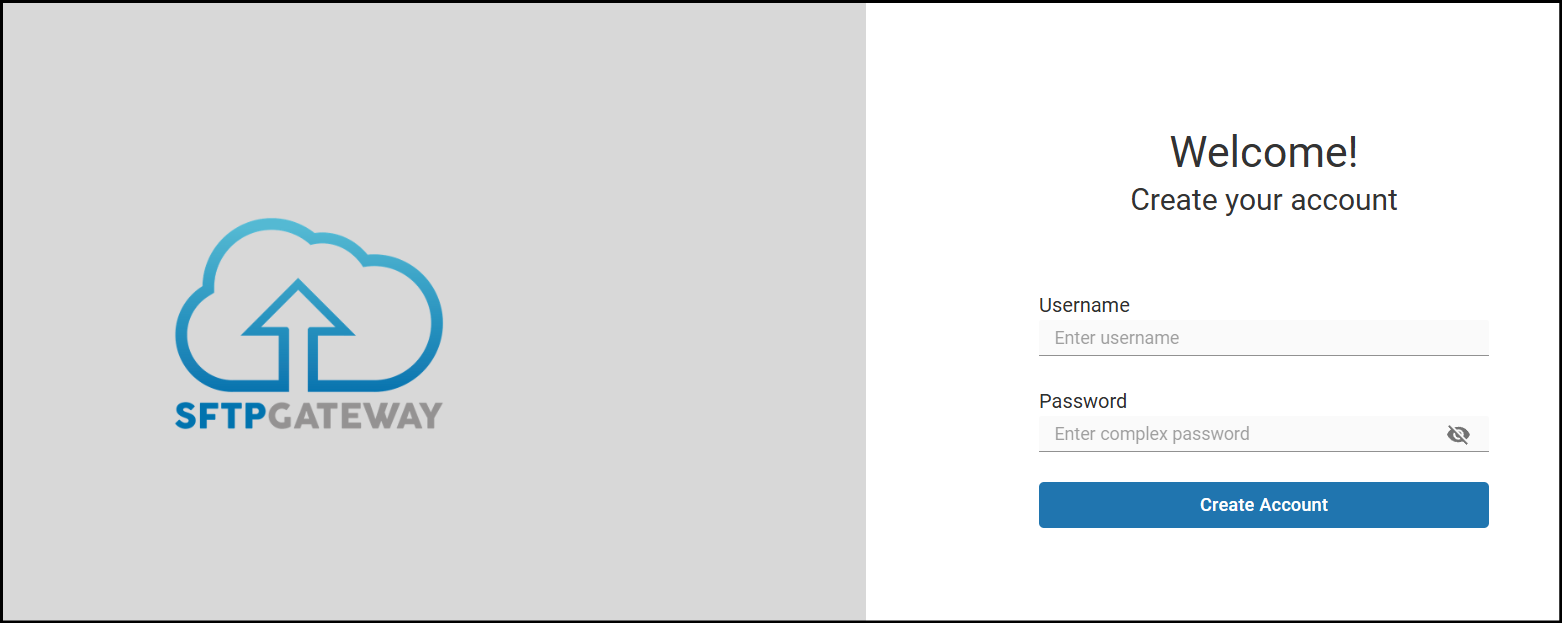
Create Admin Account
Create your initial Web Admin account and sign in:
Configure Cloud Connection
The initial Cloud Connection is pre-configured with your S3 bucket settings, but you'll need to add valid AWS credentials:
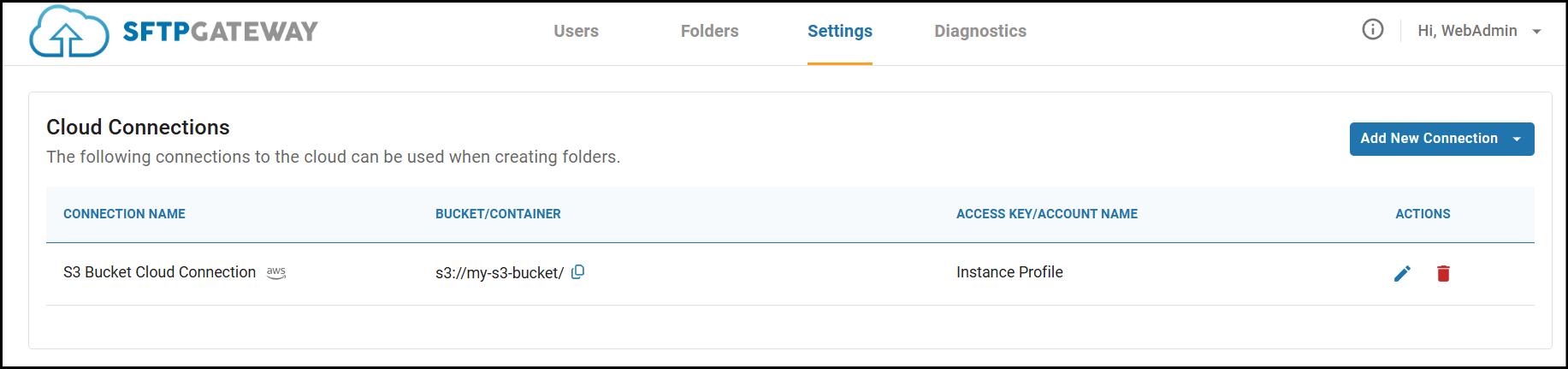
For instructions on obtaining S3 credentials, see: Access Key ID & Secret Access Key
Once your connection shows 3 green checkmarks on Test Connection, you're ready to create users.
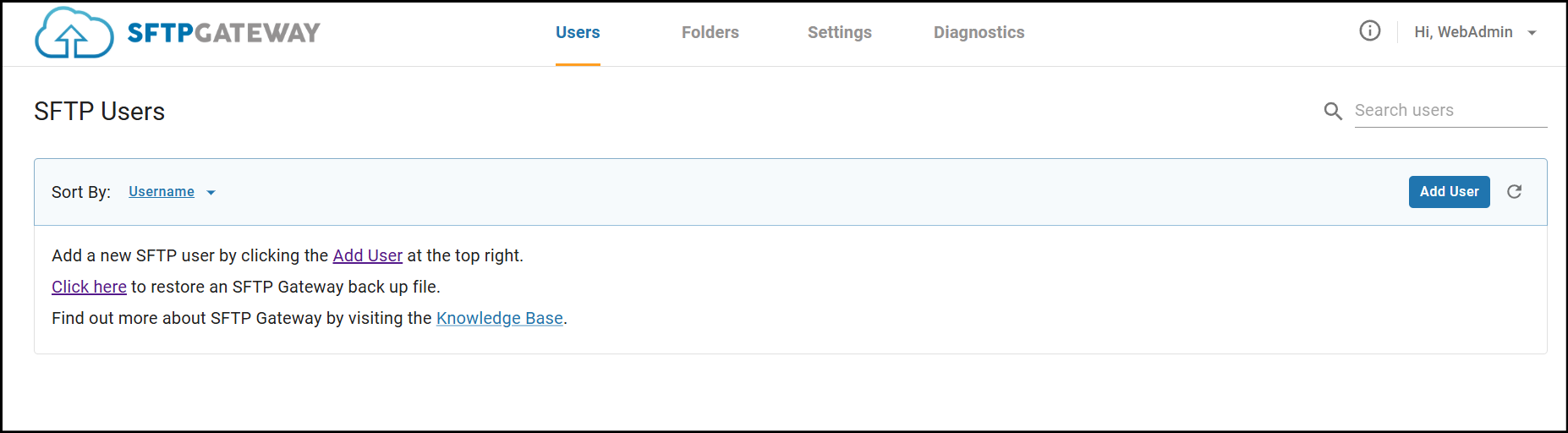
Create SFTP Users
Navigate to the Users tab to create your first SFTP user:
Test SFTP Connection
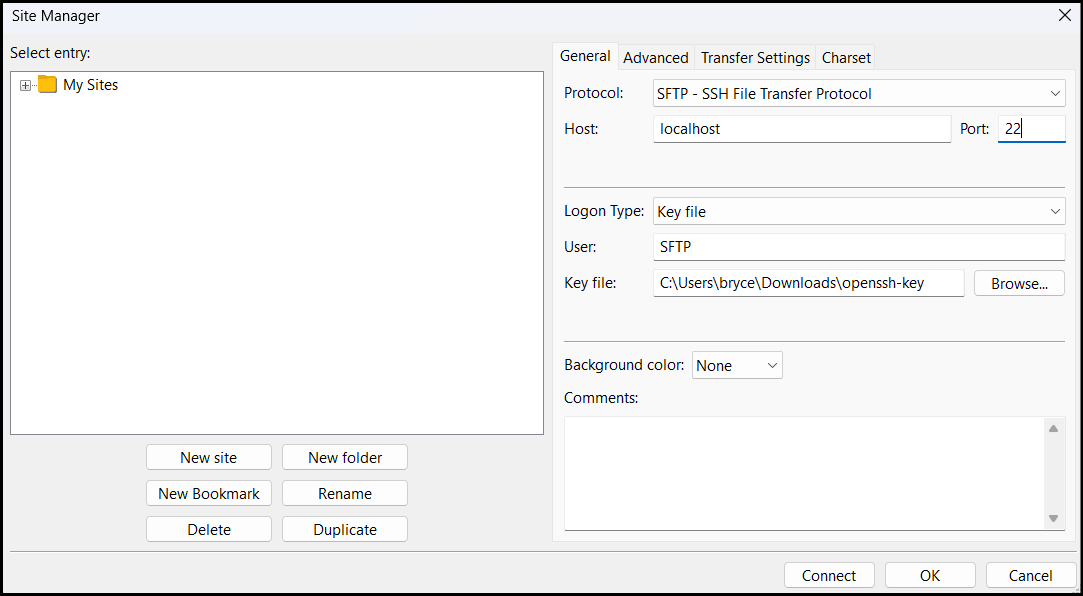
Connect with your SFTP client (FileZilla, WinSCP, etc.) using:
- Host: Your SFTP endpoint from the stack outputs
- Port: 22
- Username: The SFTP user you created
- Password: The password you set
Upload a file to verify everything works:
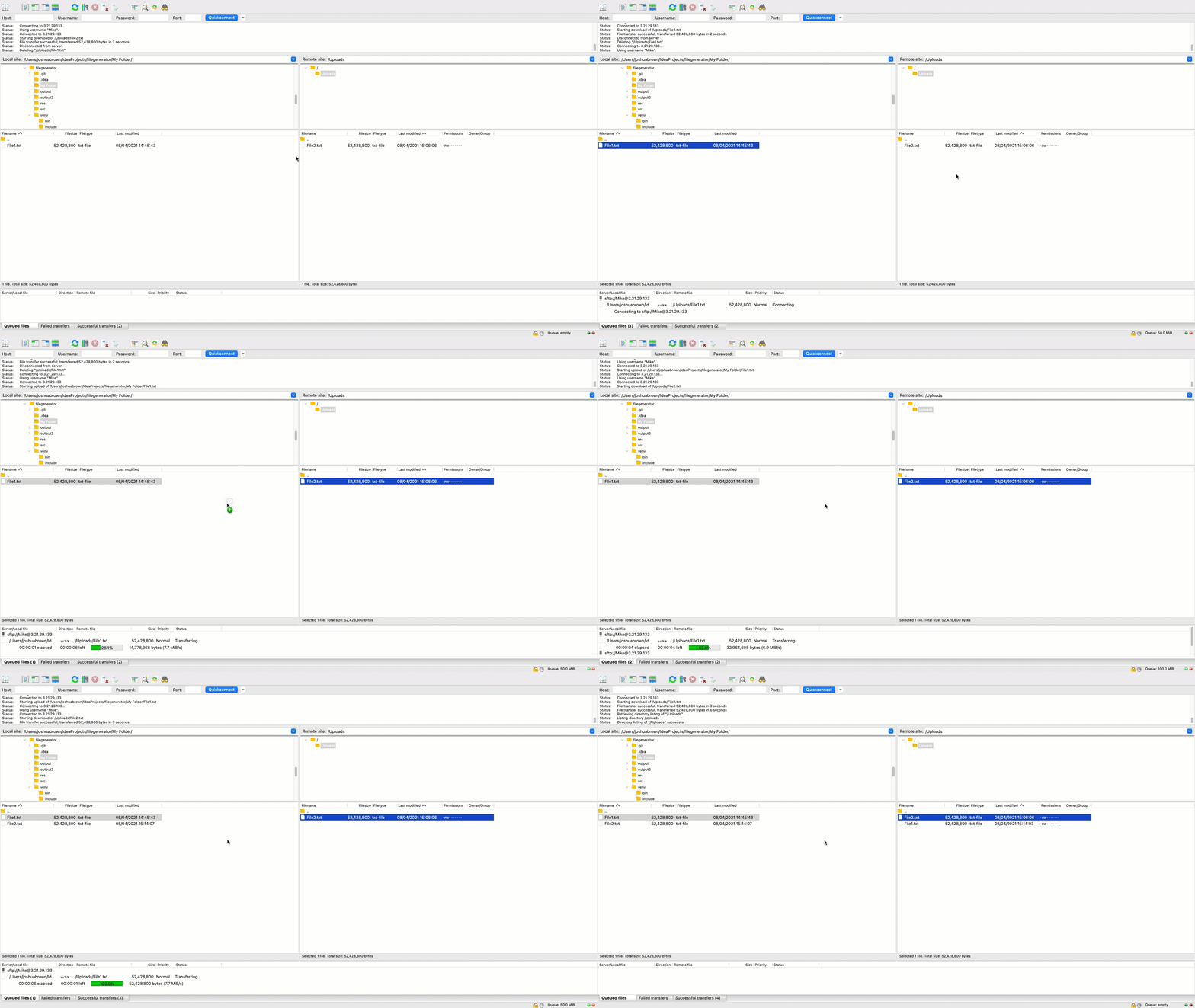
Congratulations! You've successfully deployed SFTP Gateway on Amazon ECS.
Viewing Logs
All container logs are automatically sent to CloudWatch.
View Logs in AWS Console
- Navigate to CloudWatch > Log groups
- Select the log group shown in your stack outputs (e.g.,
/ecs/sftpgateway) - View log streams:
backend/- SFTP Gateway application logsfrontend/- Web UI access logs
View Logs via CLI
# Get the log group name
LOG_GROUP=$(aws cloudformation describe-stacks \
  --stack-name $STACK_NAME \
  --query "Stacks[0].Outputs[?OutputKey=='CloudWatchLogGroup'].OutputValue" \
  --output text \
  --region $AWS_REGION)

# Tail logs in real-time
aws logs tail $LOG_GROUP --follow --region $AWS_REGION

# Filter to backend logs only
aws logs tail $LOG_GROUP --follow --log-stream-name-prefix backend --region $AWS_REGION